Tuesday, January 3, 2017

Where do they go?

In 2016, UW Tacoma's Office of Institutional Research did a lengthy study of our direct-entry (from high school) student attrition in their lower division experience: Who Leaves and When. Everyone working with our students should read it, for it dispels a number of false narratives about the ~40% of DE students we lost in those vulnerable, lower division years. The surprising news was that we lose excellent students: no academic concerns, students with full ride scholarships, students who we thought were thriving. Seventy eight percent (78%) of these "leavers" were in good academic standing and 27% of them just slipped away during the first summer break.

What Institutional Research was not able to do in their study of who and when was to tell us where these students go. Many of us hoped these good students went to a campus that was a better fit: to UW Seattle, to Eastern or Western, even down the street to the University of Puget Sound. We hoped, but we didn't know. Turns out we could find out.

The National Student Clearinghouse tracks students from higher education institutions, with 90+ percent of schools participating and sending their data. You need to belong, and participate (shares well with others) to be able to tap in and track your "leavers" but it turns out that IR at UW Bothell did just that in 2015. Plus they were curious about how they were doing against us (their closest peer) and the high-achieving students at UW Seattle, so they tracked our students too.

They shared our results, aligning closely as an addendum to Who Leaves and When, So, here's a look at where they went. Slightly different years for the two studies, but same populations: leavers at UW Tacoma (2006-2012, 2007-2013).

The answer? 86% of them just drop out. Some go down the street to TCC, a few do go to UWS. Most just slip away in the summer. Next study? Why did they leave and what can we do to ensure that they are not just walking away with debt and disappointment. Who, when, where, what, why? More to come.


Correlation is not Causation

It is not; we know that - but correlation is a powerful tool for exploring and understanding situational effects. Let's do a for-instance: UW Tacoma and UW Bothell. They were started at the same time (1990), to offer regional options for a UW education...albeit in different parts of the PNW region. UW Bothell is 50 miles to the north of us, set in lovely woods, with new and shiny glass buildings. They are in tech country and are open to many innovative practices that make visiting their Learning Technologies group an adventure.  The group consists of 5 professionals, supporting ZERO online courses. They also have a bevy of students helping them create documentation and videos. Their site is a broad and deep exploration of pedagogy, help aids and ideas.

Contrast this with the UW Tacoma: embedded in history, community, and the story of access for our "new traditional" students. Due to resources always allocated first to "engagement of diverse students" our commitment to Academic Technologies differs from UW Bothell: 1.5 professionals, supporting more than 500 students and 15-20 instructors in fully online courses each quarter. Two students doing tutoring, one (1!) that will begin this quarter to do the kind of work that UWB's eight (8!) current Learning Technologies' student workers are doing.

What happens when culture creates a strong variance in commitment? Well, the only way to measure is with data. Correlation: despite our joined histories, UWB has a much higher 6-year retention rate (73 vs 65%) but that's just loose correlation. How do we know supporting students with technologies that are now used for learning would make a difference? Can we get closer to the source?

How about faculty adoption of the Canvas LMS, which gives students 24/7 access to online syllabi, tools, assignments and readings? Here's what we know since its adoption: UWT started with a higher initial adoption, but UWB's focus on support, training, and innovation quickly moved them forward until the latest numbers show a 16% difference in instructors using Canvas - at all. Not well, not deeply, not to reduce time constraints...just creating online access to course materials.

Correlation is not causation, but it tells a compelling story.

Colleen

Wednesday, December 14, 2016

3 Before Me!

The dreary season of 2016 is rushing past my ears, sounding like a hummingbird heading for home. I thought there would be time...to reflect, to learn new tools, to come to conclusions regarding practicing practices and troubling tech. Instead, I ran as fast as I could just to stay in same place.

But I promised a few colleagues that I would document '3 before me' - Academic Technology's ode to setting tech limits in Canvas - in time for Winter quarter. Here it is, wrapped for the holidays, in easy-content form:

The Practice

Tell you students not to email you, unless it's personal/private/confidential. Tell them you will not answer. If they have a question on the content, others probably have the same question and you don't want to answer it 30 times. Tell them here are 3 places to go before your mailbox. You can do this! 

#1) The course FAQ thread in Discussion Board. Someone will answer it there, often before you, the instructor, even sees it.

#2) The University Help Desk. You're not Tech Support and you don't need to know why their Windows Vista/BB9/IE8 combination doesn't display PDFs correctly. IT is paid to explore those issues, and some of them enjoy working on the problem.

#3) The syllabus. Doh! Time, due date, requirements, process is usually outlined there. If it's about course content issue, they should look there first.

3 before me. Easy rule. Put it in the syllabus and your online teaching becomes easier and your students become less dependent. Scout's honor.

Lots of faculty think they'll be seen as "nice" if they ignore this advice. Do so at your own peril. Online options can grow work at exponential rates when you start obsessing. '3 before me' is especially gold in online teaching. Why?

  • so you don't burn out teaching online
  • so students take ownership of their learning and problem-solving
  • so they form community unto themselves

You can do this. You can set limits, encourage problem-solving, create more collaborations. 3 Before Me.

Tuesday, August 16, 2016

Nudge Update from the Trenches

NUDGE: (n) a light touch or push. poke, prod, jog, jab.


The history of mobile phones and text support nudges for students at UW Tacoma seems long to tech innovators, but in terms of the culture of a college campus, it's been the blink of an eye. We recently read that millenials check their phones 40-75 times a day, and they attempt to respond to texts immediately. They're also infamous for not checking email. UW Tacoma recognized this early on, based on the research of Carmean and Mizzi, and began searching for ways to reach out via the millenial's omnipresent cellphone. 


We found a solution for mobile support nudges via a partnership with Persistence Plus, a higher education mobile texting platform that keeps students on track by sending different populations of students nudges related to their academics, time and stress management, and information on campus resources for success.


Historically, our first project with P+ was nudging students to successful completion in newly ONLINE math courses. These online courses were a concern, much desired in the online format for working adults, but - as is always the case with the online format - worrisome for the administration if students would be more at risk not to complete. With twice-weekly nudges, P+ students stayed on task, completing with equivalent grades as the face-to-face courses and with higher grades and completion rates than students who opted out of text message support. 

In 2013-14, we also began nudging first year (freshmen) students, with texts regarding resources, the campus, getting connected, studying ...and having fun. We continue to see significant increases in retention for students that opt-in for support over those that do not. 

Life doesn't get easier for UW Tacoma students after the first year. After summer break, we have traditionally lost 25-30% of our first years and 10-15% of our sophomores. A body at rest wants to stay at rest. It needs a nudge to get back in motion.

In the Fall, we now nudge non-registered "rising sophomores" on reasons to come in and register. Last summer, days before Fall term, we brought 36% of these eligible/not registered students back to campus after 1-4 nudges. This summer, we'll also nudge the 10-15% we usually lose after sophomore year.

But let's not forget that millenials aren't even the majority of UW Tacoma students. Working, 30+ years of age, parents, and stressed is "the new traditional" and they need help too. UW Tacoma is now beginning an initiative for mobile support for near-completers,  helping them stay on track and take all the steps needed to step over the finish line. We'll keep you posted.

If you're interested in knowing more about UW Tacoma's nudge initiative, we've done our best to record our work in the scholarly and trade literature. Here's all the most popular that Google can find. You'll find even more at Google Scholar if you want to dive deep into the data.  
Colleen

PS:Drink plenty of water and eat a healthy breakfast to be of optimum energy during the day (nudge).

Thursday, June 2, 2016

And that's a wrap!

Access RoseEnd of Spring quarter, end of our academic year. Wow. What a wild ride. We are certainly living in a time of great change and if you don't buckle in, you may be jostled a bit as new people, processes, tools, technologies, ideas...fly in and out, up and down, all around.

UW Tacoma will soon release a new strategic plan. The result of very hard work by many people over a year of consensus-building, it affirms our ACCESS mission as the center of a focus on diversity, innovation, community, and  excellence. This may seem apparent, but it took hard work to own, agree, convince ourselves that we are not a baby UW Seattle. We are Tacoma. With a vision:


The University of Washington Tacoma fosters thriving and equitable society by educating diverse learners and expanding knowledge through partnership and collaboration with all our communities.
 
Now why am I sharing this on the TLT all-things-learning & technology site? Because this campus vision affects each and all of us as we move forward with who we are and what we value. So, here in the Faculty Resource Center, Darcy and I wrap the year with excitement and commitment to provide what our diverse, busy, new traditional learners need - including the support of a faculty able to deliver flexible and innovative pedagogy.

iTech Fellows has 19 participants this summer, ready to take 20th Century teaching skills and adapt them to online and hybrid environments. Yeah! Why? UW Tacoma responding to the need for new literacies, reduced seat time, and more flexible paths to graduation from students. We're exploring change in teaching, engaging, and designing for anytime/all the time learning.

We've also seen the roll out of analytics on campus, provided by our collaboration with Civitas Learning: a first time ability to SEE real time student data from a lens of persistence. Taking a first look at what we know now: F2F degree program undergraduates who avail themselves of online courses are 7% more likely to persist to the next quarter than their peers taking only on-ground courses at UW Tacoma. SEVEN percent. 

And that's even though UW Tacoma has only put 3% of its catalog online. Even though 95% of the online courses each quarter are full within a day or two, sometimes within hours. Even though more than 10% of our students are rushing to find and take these time-flexible courses any given quarter. 

Our new strategic plan's focus on access is bound to change these numbers. If we truly focus on student success, we'll create more online and hybrid options. Create options for students to go to school, to work AND to take care of their families. Create more graduates. Here's the kind of data we now know, thanks to Civitas: 
  • 10.24% of our students who took a mix of online and F2F courses do not  persist to graduation.
  • 17.25%   of our students who do NOT avail themselves of online courses did not persist.
We can do better for them. Buckle your seat belts! UW Tacoma is learning to fly.


Thursday, March 24, 2016

Exploring the Nudge


>NUDGE:
1.
 to push or poke (someone) gently, esp with the elbow, to get attention; jog, 2. to push slowly or lightly as I drove out, I just nudged the gatepost, 3. to give (someone) a gentle reminder or encouragement.
- The Free Dictionary

It's spring break at UW and Academic Technologies is busy planning, catching up, thinking ahead and even presenting to colleagues on how we're using technology in new ways to engage students and improve our retention efforts. 

Presenting: shout out to UW's TechConnect and to the Washington State CanvasCon. Local conferences create great community connections!

What are we speaking about?

Nudging. 

Following the work of Cass and Sunstein, documenting the way that subtle interventions can improve choices in a variety of situations, UW Tacoma has been exploring how we can improve student performance, engagement and behaviors in the educational setting. 

Carmean and Mizzi took this research and explored the idea of nudge interventions in higher education and where we might see improvements. 

The Mobile Nudge

Based on that work, UW Tacoma began working with Persistence Plus, a vendor that sends mobile text messages to students with information, encouragement and behavioral interventions. 

The collaboration began with online math classes,
expanded to math and stats and to the first year experience

We saw significant success in specific targets, but less evidence that mobile nudges can improve retention for the general population. We are now expanding to new behavioral interventions:  

  • targeting students not registered for Autumn courses 3 weeks before school starts
  •  and to near completers struggling with final courses and requirements. 


Every student is different, every student may need different supports - at different times, in different ways. Nudge initiatives meet the students where they are.

Nudging with Canvas & Analytics

Returning to Carmean and Mizzi's research hypothesis that nudge initiatives can best be directed at persistent and retention challenges for the 21st century university, UW Tacoma is looking into more effective ways to build a Nudge Culture into the curriculum. The LMS is our focus point, as it has increasingly added analytic features that allow better, quicker, personalization of learning. They simply need to be implemented into practice. One underutilized (some would claim well-hidden) feature for nudging to performance is the Gradebook's "Message students who..."


In the past, it has been time-consuming for faculty to give feedback to students that perform in patterns that would benefit from feedback, resources, encouragement. Now, students are sent a personal message based on behavior seen in the LMS. In moments, instructors can select a message category and send personal notes to all students meeting that criteria. The challenge, since this has not been a practice in the past, is to tap into a collective understanding of effective nudges. UW Tacoma has been doing workshops to create shared, tested, effective triggers and phrases.  

And that's just the beginning. We're learning so much from colleagues regarding use of Syllabus Quiz, multiple attempt quizzing, Discussion Board reveals, prerequisite modeling, gamification of content, and more. Keep nudging, the we smarter than me!
Collaborative response from Washington State CanvasCon workshop on using Canvas as Nudge environment.


AND...New Possibilities in Nudge Analytics at UWT


Eyes on the horizon, the University of Washington has partnered with Civitas Learning to bring all our data about students together in one interface. We will be able to data mine for trigger points of poor persistence, and if we rise to the challenge of moving analytics into action, we will create new nudges, supports, and resources to target interventions. 


Each student is different, learns differently, faces different challenges. The 21st century campus has the opportunity to meet them where they are and provide the support, resources, and interventions that student needs. 

Thursday, February 11, 2016

State of Online Learning

Pearson's 13th annual report on the #StateOfOnline Learning is out. Good news for advocates of innovation and leveraging technology. Lovely use of infographics to tell the story. A worthy read. Some food for thought from the report:

  • 28.4% of higher education students are enrolled in at least one online course
  • Last year, the US saw 147,000 new online enrollments
  • Nearly 2/3 of academic leaders call online education “critical to the long-term strategy of my institution”
  • Larger growth is being seen in hybrid courses, with 35.6% of academic leaders now calling blended/hybrid outcomes “superior” & somewhat superior to classroom instruction alone.

Meanwhile from the trenches of University of Washington:
  • The Seattle faculty just voted that 99% online is not an online course. IF you meet with your students one time, THEN they can scurry around the military and international student blocks on online courses. It also gets around the bizarre UW "residency" rule for Senior year study demanding butt in seat with no more than 15/60 finishing credits done online. (Outcomes are NOT enough. You must listen in your Senior credits).
  • Tacoma faculty are poised to follow suit on the 99% policy. Soon, the count of online courses at UW will most likely drop to zero, unless enrolled in an online degree.
It gets worse:
  • Currently, pre-passage, only ~2% of UW Tacoma's courses are online. 
  • In any quarter, less than 10% of our students are taking an online course. They WANT online courses, NEED online courses, FILL all the enrollment seats within hours of registration, 
Your friendly bloggers at TLT Corner would love to hear from you if you faced fear of change and contribute to the digital possibilities that allow 28.4% of higher education enrollments in online courses. 

Horizon Report 2016

Some of us wait eagerly for the annual Horizon Report to be released. It's like higher education's geeky birthday, anniversary, and Valentine present rolled into one. What did venerated colleagues from all over the world decide (over many months of nominating, caucusing, voting) were the trending academic technologies for the next 1, 3, 5 years? 

I don't always agree, finding consensus often leans to pie in the sky, Ivy league, virtual yada yada enthusiasms instead of the tools and practices that engage the post-traditional students now found in most classrooms: classrooms on the ground, online and hybrid. 

Well, the New Media Consortium must have been channeling and adapting to my yearly (grateful, but...) whinings, as their chosen trends are still important/visionary/informative/fascinating, but they've added sections on Key Trends and Challenges that address the realities facing higher education daily. A thoughtful look on how tools, trends and challenges create a stew of possibility for the role of technology in our practice. 

One loud hurrah from UW Tacoma. Here's a link to the report. Our collective tech present and future: read all about it.  

Horizon Report 2016

Tuesday, January 5, 2016

Canvas Rocks the Voter Polls

Happy 2016! Let's make it better, fearless, learner-friendly.

One of the things you can depend on in the beginning (and end) of the year is polls. We're not talking about the upcoming presidential noise, but higher education and it's surveys of what's working, making a difference, making our jobs easier.

The journal University Business covers this all year, across the spectrum: admin, finance, data storage. You name it. If higher education is using software to meet its needs, UB is studying and reporting on it.

So, of all the tools presented and polled, across all the services and demands of a campus, only one in the category of learning and teaching made the list. What software you ask? (You probably didn't, as you've already guessed or responded in the poll...).

Canvas. We chose right when imagining the tool that would take teaching and learning into the digital age. Now here's the tricky part: any LMS will allow you to do the things they were designed to do: replicate the classroom functions (Announcements, Discussions, Assignments, Grades...) but that's not why Canvas made the list.

It made the list because it's doing well what others don't even attempt: a move toward analytics across the digital experience (see my post on 'Nudging Students to the Finish Line' regarding Canvas and the 'message students who...' option). Darcy and I do a workshop on using DATA, gathered by Canvas, to better know, track, nudge and inform students on progress. The workshop wouldn't be possible without the Canvas approach to visualizing data.

And that doesn't even address their new speed grading functions; more intuitive rubrics, and synchronous chat and collaboration tools.

Check out some of the deep-under-the-hood features of our UW-supported LMS that's winning national awards. Canvas: it's not your mother's LMS.


Monday, September 14, 2015

New Tools in New Ways

Congratulations to one of our favorite iTech Fellows, Kim Davenport, who was recently awarded the CMS Instructional Technology Initiative Award by the prestigious College Music Society

CMS is a consortium of college, conservatory, university, and independent musicians and scholars of music. This annual award is given in recognition of exceptional contributions in  the effective use of technology to improve college music instruction. 

Kim’s work will be recognized at the Society’s National Conference and presented in a Showcase event there.

Take a look at Kim's rich story-telling of how she teaches her "TARTS 2220: Exploring Classical Music in Our Community" to engage students and help them fearlessly learn more about music. It helped us better understand why students love her online course.

Kim's story of TARTS220 is told via use of the open, free web tool ReadFold. Check that out too as a way to easily engage students in telling their own stories with rich media links and resources.

Gorgeous. Inspiring. And fun!

Wednesday, September 9, 2015

Start the new year right: REFWORKS! 2.0!

It's been confusing and disappointing in the past that UW would spend so much to join the wave of universities purchasing and offering RefWorks FOR FREE to their students, and then not promote the tool. Mention RefWorks to most students and you get a blank look. Add the challenge that it takes a bit of time to learn to use it on your own, without support or promotion, and even those that heard about it found it challenging to start up. But those that do? So much time and effort saved, excellence and error-free citations gained.

Now, a new year, a new plea from Academic Technologies: hop in, the water's lovely and the UW Libraries have stepped to the plate with a new RefWorks support site! Check it out. Still a bit complicated, and we strongly recommend you stop in the Library, if possible, and ask a Librarian to get you started. If you do, you'll soon be spinning with joy seeing how easy it is to build your own personal library of citations.

Even if they don't offer to show you, DEMAND they teach you how to add Google Scholar citations straight to your library. We strongly recommend you also use the free paper writing tool Write-N-Cite, Learn that in Phase II, once you're a RefWorks addict.

Here's the new UW RefWorks site. 

You're welcome.  

Monday, August 24, 2015

Heads up, UW Tacoma! Poll Everywhere is coming.


After long recommending Poll Everywhere, and their cloud-based polling via diverse mobile devices, we now have even better news on the classroom polling front. In the past, we leveraged their generous academic license of up to 40 responses per poll question at NO COST, but with the free license, responses were always anonymous. This wasn't perfect in creating energy and engagement. 

The University of Washington heard the collective voices of instructors across all three campuses, and have agreed to enter into a site license with Poll Everywhere. The license will allow NetID authentication and unlimited number of responses per polling question. We will soon be able to use Poll Everywhere in classes of any size, no sharing of responses needed, AND be able to record multiple questions into a gradebook, automatically entered by NetID. 

Hurrah, UW! Hurrah, Poll Everywhere. We'll keep you posted as the Go-Live date becomes known. Expect it sometime in late Fall, is the rumor. 

Thursday, March 5, 2015

Economic Returns on a College Education

I'm a first generation college graduate, the only one of five inner-city siblings to desire a scholarly life. I desperately loved sticking my nose in books and I was determined. My parents were puzzled. 

Now, in one generation, society has changed the narrative to "everybody should go to college." We herald the New Traditional Student: first generation, minority, over 25, young parent, limited financial resources. To meet their needs, we saw the rise of the for-profit schools, rapid growth of public universities, and a national commitment to access: a nation going to college. Part of this narrative is that college is the "ticket to the middle class." Everybody says so.

Until three researchers published a paper that questioned some of the assumptions (and societal changes) built into the value of that ticket. What happens when you're a male, heavily in debt from the rising cost of a degree, and graduating from a second tier school? What happens when you start, can't complete, and leave college with debt and no degree? Read it and weep: 

Benson, Alan and Esteva, Raimundo and Levy, Frank S., Dropouts, Taxes and Risk: The Economic Return to College under Realistic Assumptions (January 26, 2015). Available at SSRN: http://ssrn.com/abstract=2325657 

My conclusion, once I let the tables, graphs, numbers and variables slide into my assumptions is that we in higher education have the obligation to do less harm. We have to change, to be aware, to not put our students' futures on the line. 

Here are a few things that I think my urban-serving campus - and other well-meaning,  campuses - CAN & SHOULD do to mitigate the harm of creating greater risk of lifetime financial distress:


  • Use DATA to determine who is at risk of failing, leaving, incurring debt without a degree. We should be proactive and get them the help they need to complete. Intervene early and let them know we have resources to help. Insist they use them. We have the ability to do this; we need the awareness and the will.
  • DECREASE time to graduation. One of the most prominent factors in risk of financial distress is the rising cost of college. I graduated in four years, debt free. This now seems impossible. According to the study, "among 580 US public four- year institutions, only 50 report four-year graduation rates above 50%." As long as we take little responsibility for seeing that students take the courses they need, when they need them - we are doing harm. Other institutions are providing road maps with guarantees that students will graduate on time IF they focus, take the right courses, and commit to a schedule that maps their path to graduation. We can learn from these schools, and from others creating 3-year degrees, online course options, competency-based courses, hybrid and flipped courses - modern pedagogy focused on engaged and personalized learning. Many of our students are working 30+ hours, are adults, are parents, are commuters traveling long distances to campus. We can and should do what we can to support their efforts.
The data is in, the evidence is clear. We can do better.
-Colleen 

With thanks to Bryan Alexander at http://ftte.us/ for directing me to the study.


Thursday, February 12, 2015

Smart Phones Don't Make Us Dumb

Pace Nicholas Carr and urban myth, but no, they do not. Not phones, not Google, not video games. Evidence says NO. Then, why do we believe that (if not ourselves) our students are growing less curious, more distant, less engaged...well, dumber?

The NY Times has an opinion and some research that answers the question. "It may be that digital devices have not left us unable to pay attention, but have made us unwilling to do so." 

OK. Next question: WHY would my students be unwilling to listen to me? Perhaps because there are always other options at their finger tips and our student know that they have access to other forms of knowledge acquisition via the 3+ devices they're often carrying on their person. 

I did a poll in class of mobile devices being carried. The winner pulled out SIX: phone, iPod, laptop, Kindle, FitBit... and a mini-GPS he uses on his bike.

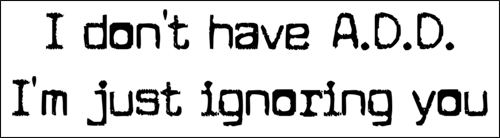
Last year, another student walked into my class wearing a t-shirt that said "I don't have ADD. I'm just not listening to you."

Mobile devices don't make us dumb. They give us options. Perhaps they make us smarter, putting information at our fingers. Let's start talking about how we could leverage those smart options to engage learners and change teaching practice? The Faculty Resource Center has tea, coffee treats and bright, shiny technology tools that could help us hold these conversations.


Horizon Report 2015

Just came out! Click Here! Read NOW! 


May not surprise many of you following emergent learning in higher education, but the methodical and thoughtful work that goes into NMC's determining trends and meaning deserves a shout out and HURRAH.


nmc horizon report
NMC word cloud of 2015 Horizon Report
So, what did they find? 
Key trends (1-2 years): Online Learning and New Learning Spaces
On the Horizon (3-5 years: Open resources and data-driven learning & assessment
In the distance (5+ years): Agile approaches to change & importance of open communities

There's more, much more, and great stories and evidence that explains the trends, challenges and developments on the "Horizon" that gives meaning to the data. Check it out. 

Prefer video to text? They made one!

Wednesday, November 19, 2014

Travels with Darcy and TLT

Dateline: November 19, 2014--Portland, Oregon

Darcy and I are here for the WCET annual conference and enjoying the emergence of a theme across many of the sessions. Big Data! The last time I was at WCET, two years ago, the talk was of the new, context-aware, feature-rich, learner-centered LMS. Today, nary a session on the topic in sight. This time, everyone is looking to the data. It's fun to see analytics of so many flavors: predictive, descriptive, action, vendor-culled, pattern-aware, and our own home-flavor: nudge. 

I think it was John Campbell, father of the Signals project at Purdue and the birth of dynamic learner access to pattern data, who said "If we're not applying it in action, why do the analytics?" Who would have thought his call to action would have seen such a rush to response. It took awhile, but some of the reported activity is quite jaw-dropping and awe-inspiring in its ambition and scope. 

I'll leave you to look at the work of new vendors like Civitas and Blue Canary. And to explore the potential of WCET's own baby, the now non-profit PAR Framework. You'll have to find conferences like this one to hear about the home-grown, data-driven learner environments and dashboards being implemented at places like Capella University and Rio Salado Community College


A lot of work done by all to get to the point where they're able to shape and join
the data, but just beginning to touch on the actions John Campbell intended, and made available to learners. Darcy and I are doing a session on starting at the beginning, with the low-hanging fruit of using data, small and accessible data sources, to inform, support and nudge students to success. 

Nudging Students to the Finish Line talks about a few action-nudge projects undertaken at UW Tacoma to keep students informed of their progress, options,
supports, smart practices and local resources. (Read more about UW Tacoma's approach to just-in-time nudge initiatives) at Not as sophisticated as the big data machines now churning at bigger money and enrollment schools than UW Tacoma, but aimed at achieving the same goals: better grades, better persistence, better engagement in the learning. 

In the session, we'll talk about UW Tacoma's practices of sending prompts to students, via phone, text message, and our new Canvas LMS. We share faculty LMS feature use ("message students who..."), peer and advisor phone calls based on an event status (students not registered for next quarter; students identified via early warning, etc), or machine-based support messages through a collaborating vendor, Persistence Plus, based on their cohort (first year experience; online math students, etc). 

Analytics in a diversity of flavors seems to be the hot topic of the year at a conference where smart, dedicated people are looking for ways to see the new learner to graduation. Wish you were here. 


Tuesday, October 28, 2014

Just-In-Time Technology: Improving Retention and Success of “New Traditionals”

In a recent article published in The Evolllution, Colleen and Darcy discuss ways UWT is using "nudges" to increase student success.
Tools designed to automate personalized
retention-developing tactics are critical to 
student persistence and success, helping 
institutions boost their performance metrics.

Just In Time. Famous words of the time-stressed, over-committed adult learner that now makes up more than 38 percent of the college-going population (according to a recent Student Clearinghouse report (Student Clearinghouse report). Whether in assignments, courses, financial aid or getting to class, adult learners behave like most time and task-stressed adults; we queue things up as they need to get done. And sometimes, some of the demands just slip through the cracks. Read the full article...


Tuesday, September 16, 2014

Explore some new features in Canvas!


We would like to welcome all of our new Canvas users and welcome back those who are returning. We love the energy and excitement that come with the beginning of a new academic year and hope your summer was fantastic! Communication is one of our top priorities and we want to keep you informed of a few new features in Canvas.

Draft State is here!


Canvas released a new tool over the summer called Draft State. Draft State allows individual content in Modules, Pages, Assignments, Quizzes and Discussions to exist in an unpublished (draft) state. You can then “publish” any draft module, assignment, etc. when it is ready for students to see! With this new Draft State tool comes a significant, improved look & feel of the Canvas design. So, keep an eye out for the cloud icons on your Canvas course site and make sure to publish materials that you want students to see!

Here is a 4 minute overview on Draft State.
Here is a more detailed guide on how to use it!


Use Canvas to help students plan their degree!


Your Canvas course syllabus page can be made visible in MyPlan. MyPlan is the UW’s online academic planning tool, enabling students to make the most of their time at the UW by helping them to develop a comprehensive academic plan. Students have the ability to browse courses of interest and bookmark them for future quarters. They can then build out a draft schedule of courses for their entire academic journey and audit it as they go!

By building out your syllabus page in Canvas with information about your course, students will be able to view it in MyPlan. Using Canvas to publicize your course description does not commit you to using Canvas for teaching, nor does it make course content beyond the syllabus visible to anyone other than enrolled students. Students love being able to read what a course is about before they register for it. Consider providing this information for them!


For more information and instructions on how you can help students plan their academic success, visit: Use Canvas to Publicize Your Individual Course Description

4.0 Grading scheme is now in Canvas!

The UW 4.0 Grade Scale tool makes it easier to set up a 4.0 scale and apply it to a Canvas course.  Grade scales can then be used with assignments in that course, and instructors can enter 4.0 grades in the gradebook, and display them to students.  4.0 grade scales created with this tool can also be reused in other Canvas courses. 

To use this tool in Canvas, faculty must create a conversion table to to indicate the equivalent percentage is for each grade point in their Create a 4.0 Grade Scale for Canvas Assignments
course. To learn about this process visit:


Training and support

As always, let us know if you have any questions/concerns or if you need help learning about or exploring new technologies!

To fit your schedule, all training is now by appointment for one-on-one appointments or groups of any size.

Email us at athelp@uw.edu or contact Darcy Janzen, e-Learning Support Manager to schedule a training session.


Friday, August 29, 2014

Poll: What are you thinking?

We would know that if I asked you to respond digitally, in real time, and I displayed the results. We can do that in the class now - "Quick, students...pull out one of your mobile devices!"

Image courtesy of Duke University Digital Initiative
If you haven't seen it yet, we're (semi)-supporting Poll Everywhere at UWT. You use the Web-based software from Any/Everywhere to create a poll. T/F, multiple choice or short answers. Save the poll, and students participate by visiting a fast mobile-friendly (phone, laptop, tablet) Web site, displayed for that poll. 

They choose how to answer your question based on the technology they carry: Web page, via txt, or Twitter. Instructions are displayed on-screen for each type of response. And then the poll updates and displays summary results in real time. Wow.

Instructors who have used clickers before understand the value of polling, and those now using cloud-based polling understand the great leap in not having students purchase (and lose or let the battery run down on) costly clickers.  We also get back the lost time in passing out, explaining, dealing with dead batteries and collecting clickers brought to the classroom, when supplied by IT. 

Polling offers instructors a new set of possibilities when it moves to the Web. Colleagues are using it to anonymously to test understanding, to do end-of-class 2-minute assessments, to take attendance and more. Give it a try.

Active learning, collecting group work, engaging reticent learners. You can do that in moments with cloud-based polling software. 

Well, you can if you have less that 40 students in your class. That's the semi-support. Forty responses is where Poll Everywhere cuts off the free license. Larger classes means you'll need to poll in groups. Sorry.

So I'll end with the good news. There's rumor that Canvas is building polling software into their LMS. Colleagues at UW-IT say they've actually seen a demo of the pilot and it should be in production within a year. Till then, there's free, easy, fast polling software in the cloud. Check it out.

Friday, August 8, 2014

Panopt Who?


Panopto! UW’s new lecture capture system is flexible and easy to use! Record your class, your students’ presentations, or create videos for your flipped classroom and then provide direct access to those recordings inside of your Canvas course. You may have heard about or used Tegrity in the past, but after conducting a needs assessment and pilot in autumn and winter quarter 2013, UW announced that Panopto would replace two of their systems, Tegrity and UW Coursecasting over the summer! 

Why record lectures? What is Flipping the Classroom? Lecture Capture can enhance learning by adding more focus – students can review lectures as often as they want from anywhere and review difficult or complex topics, annotate key concepts, search for terms, and post questions throughout the recorded lecture. It also allows for more flexibility – affording students who have busy schedules to re-visit content on the bus, in the middle of the night or whenever they set aside time for coursework. By flipping your classroom, recording material for students to view prior to class frees up precious in-person class time for active learning strategies.  The main goal in flipping a class is to cultivate deeper, richer active learning experiences for students when the instructor is present to coach and guide them.


So, Panopto is here and we are ready and excited to get you up and running on the new system! There are some really great features within Panopto. Check out the 8 Ways for Universities to Use Panopto or visit our About Panopto page to learn more!